Free
$0
No account, no card.
- Sessions
- 3 a week, up to 10 minutes each
- Counts
- The always-filler words: um, uh, you know and the rest
- Nudges
- iPhone haptic, screen flash, chime
- History
- The last 7 days
For iPhone and Apple Watch
umsoyeah listens while you talk, counts the crutch words, and nudges your wrist or your phone when they start piling up. You decide how many a minute is too many.
One 72-second run-through, tallied:
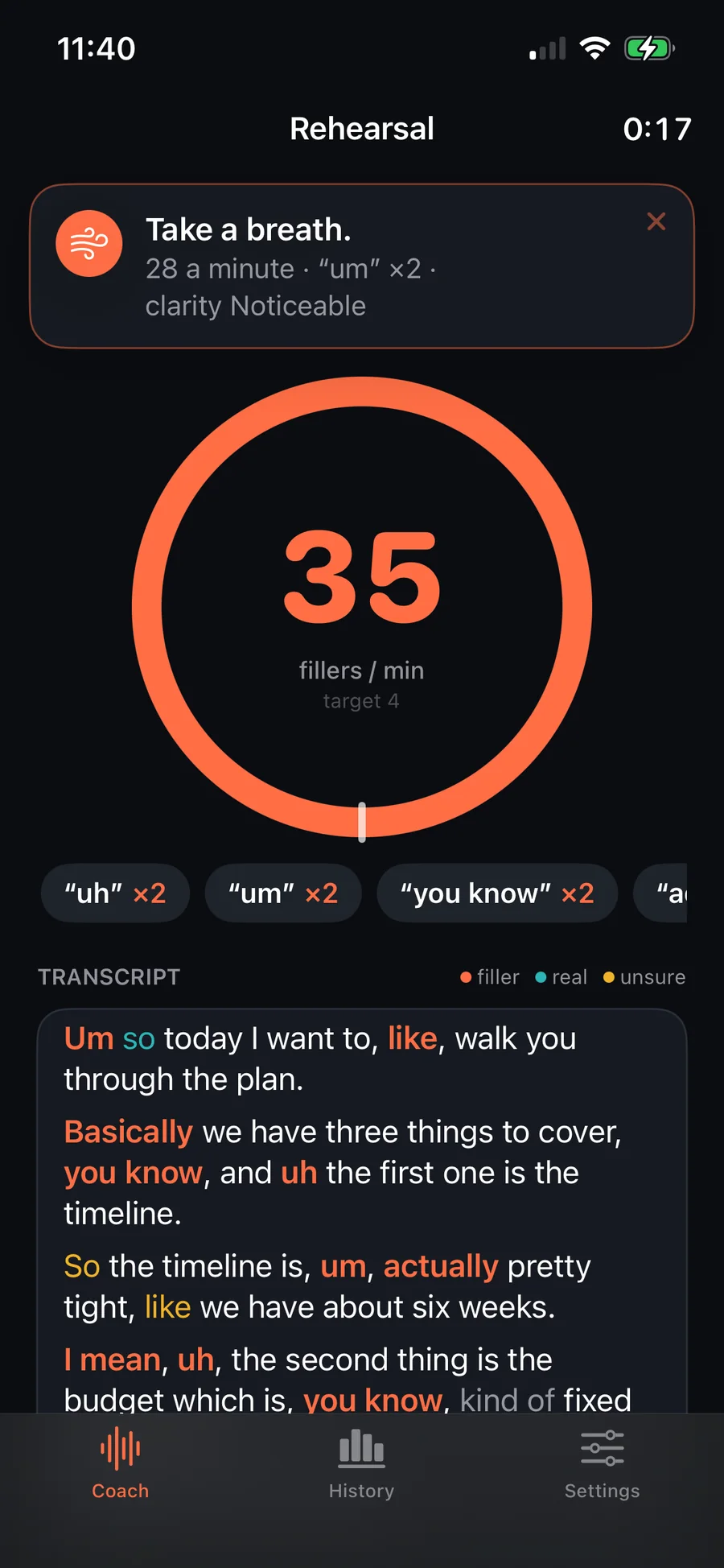
Um so today I want to, like, walk you through the plan.
Basically we have three things to cover, you know, and uh the first one is the timeline.
So the timeline is, um, actually pretty tight, like we have about six weeks.
Twelve seconds of a project update, marked up the way the app marks it. Orange counts against you. Teal is a word doing its job. Amber could go either way, so it gets the benefit of the doubt.
Prop the phone somewhere it can hear you and talk the way you were going to anyway.
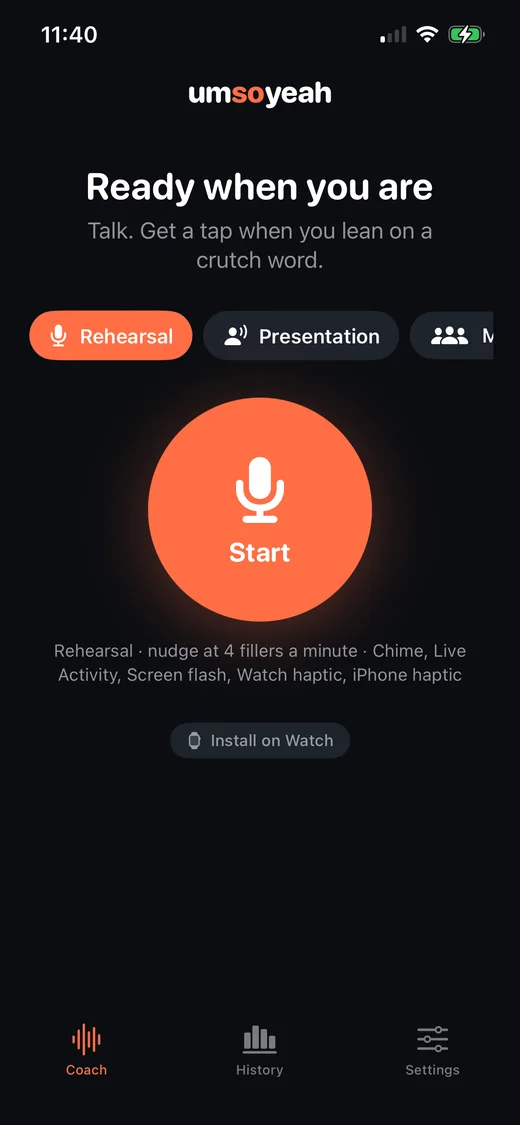
Rehearsal is strict and shows you everything. Presentation dims the screen and keeps to your wrist. Meeting only taps.
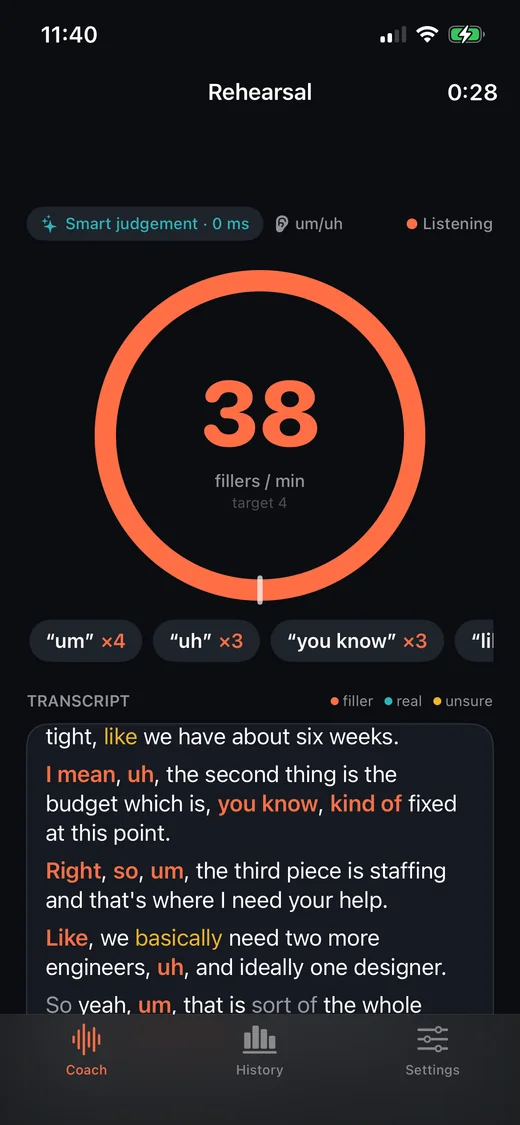
The ring is your fillers per minute over the last 60 seconds. Words light up in the transcript as you say them.
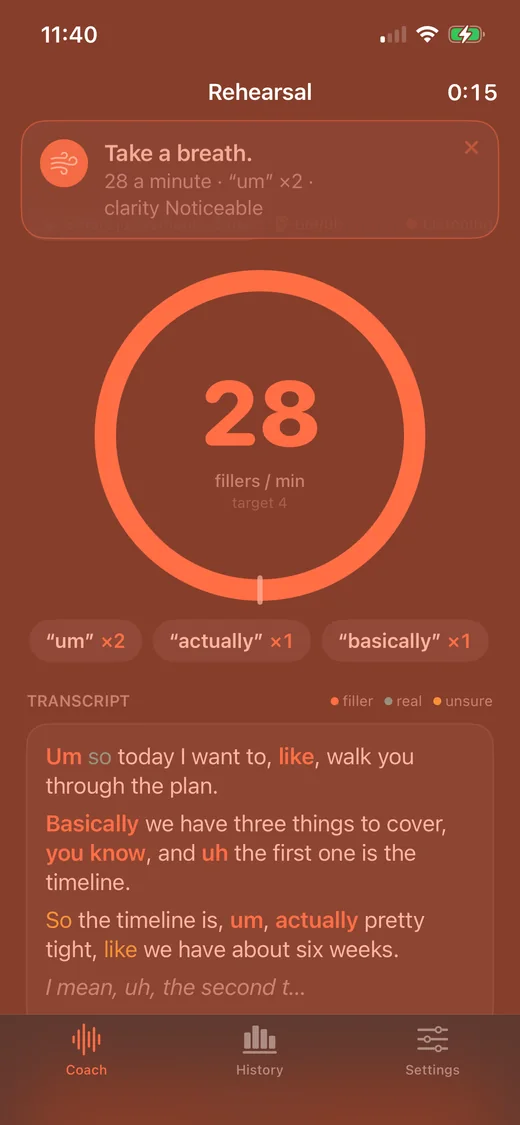
Go over your limit and you get a tap, a chime or a flash of the screen. Keep going and the next one is firmer.
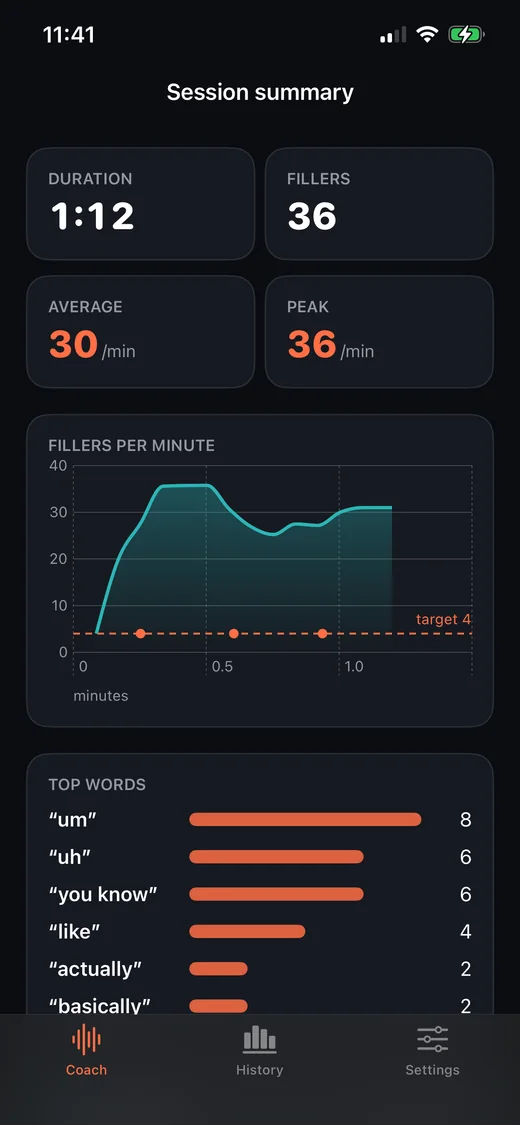
Average, peak, your go-to word, and where each nudge landed. Sessions stay in History so you can watch the number come down.
Nobody needs a second opinion on “um”. But “like” is only a problem some of the time, and counting every one would make the number useless.
It took, like, six weeks.Filler
I like the second option.Real word
With Smart judgement on, each of those words is read in its sentence by an AI model from TypeSafe AI, which answers one question: filler or not? It only counts when the answer is a confident yes. You can switch any word off, and add up to 25 of your own.
Type it the way you would say it out loud.
So, um, I basically just wanted to say that, you know, the launch went well.
Said at an ordinary pace, that is about 20 fillers a minute before the judgement calls. The default limit is 5.
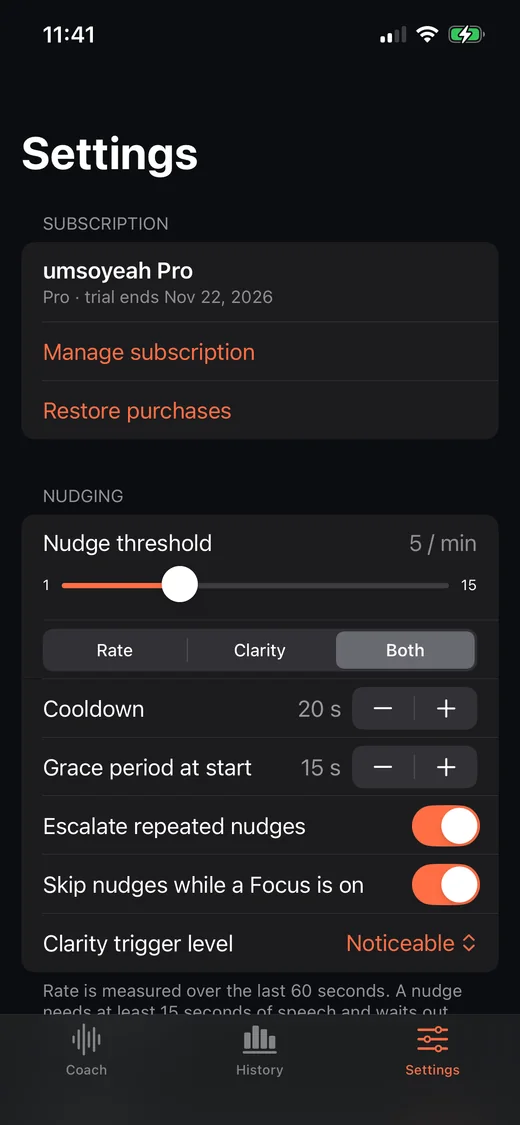
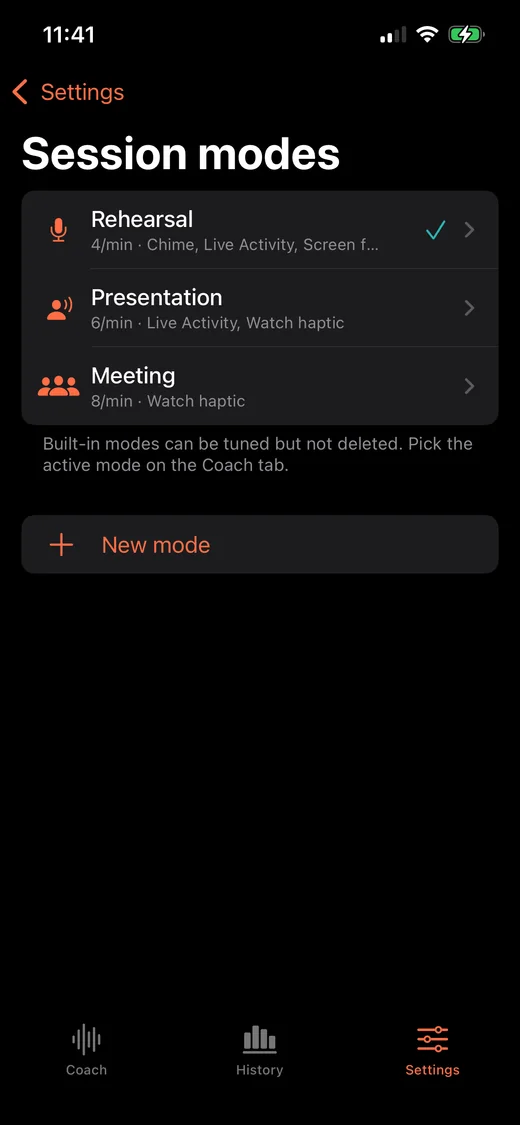
A nudge should be enough to notice and not enough to throw you. Where that line sits is different in a rehearsal and a board meeting, so all of it is adjustable.
Each mode carries its own limit and its own way of reaching you. Tune them, or make your own.
| Mode | Nudges at | Reaches you by | On screen |
|---|---|---|---|
| Rehearsal | 4 a minute | Everything except the spoken cue | Live transcript |
| Presentation | 6 a minute | Watch haptic and the Live Activity | Transcript hidden, screen dimmed |
| Meeting | 8 a minute | A single Watch tap, at most every 45 seconds | Live transcript |
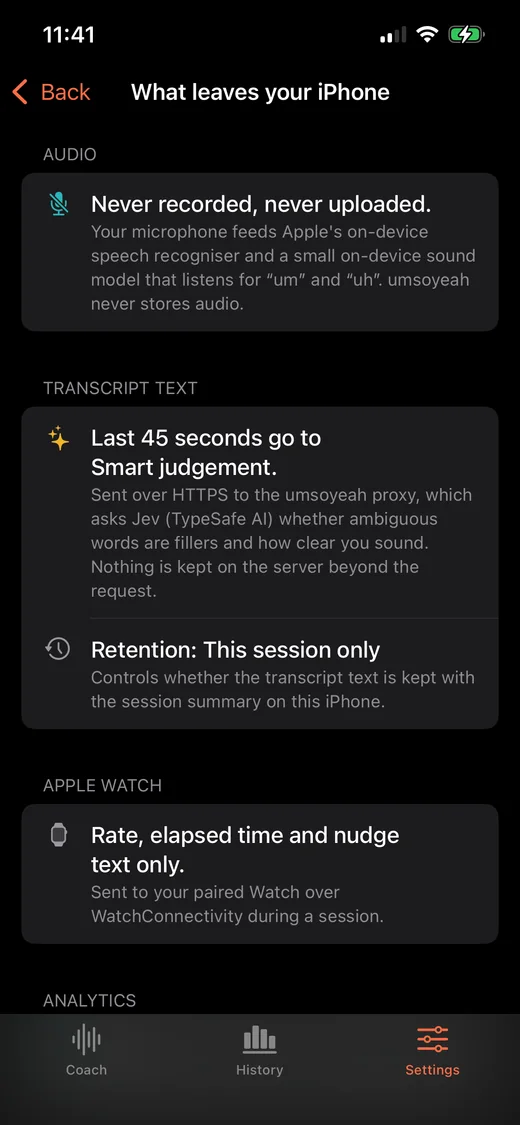
An app that listens to you owes you a straight answer. This is the same list the app shows under Settings.
The free version is enough to find out how often you say “um”. Pro is for when you want to do something about “like”.
$0
No account, no card.
$29.99 a year, or $4.99 a month
The yearly plan starts with a 7-day free trial.
US prices. The App Store shows yours. Subscriptions renew until cancelled, and you can cancel any time under Settings > Apple Account > Subscriptions.
No. iOS gives the microphone to one app at a time, so umsoyeah can’t hear a FaceTime or Zoom call running on the same phone. It works well sitting on the desk while you take the call on a laptop, or in the room while you present.
No. The iPhone does all the listening and can nudge you on its own. The Watch adds the tap nobody else notices, plus a live ring and start and stop on your wrist.
No. Audio is turned into text on the phone and then it’s gone. umsoyeah never stores or uploads it. The privacy policy has the detail.
Apple’s speech recogniser often tidies “um” and “uh” out of the text it produces. So umsoyeah also runs a small sound model on the phone that listens for those two directly. They count like any other filler, even when they never show up in the transcript.
Counting the always-filler words and nudging both happen on the phone. Smart judgement needs a connection. Without one, the words that depend on context simply aren’t counted.
Start at the default, 5 a minute, and look at your first few summaries. If you’re being nudged constantly, raise it and work your way down. The point is to notice, not to be perfect.
English (US) for now.
Um, so, yeah.
Coming soon to the App Store. iOS 18 or later; Apple Watch optional.